From property files
to portfolio clarity.

Bring your property reports into one workspace. Compare performance, investigate budget variances, and give owners and investors a clearer picture.

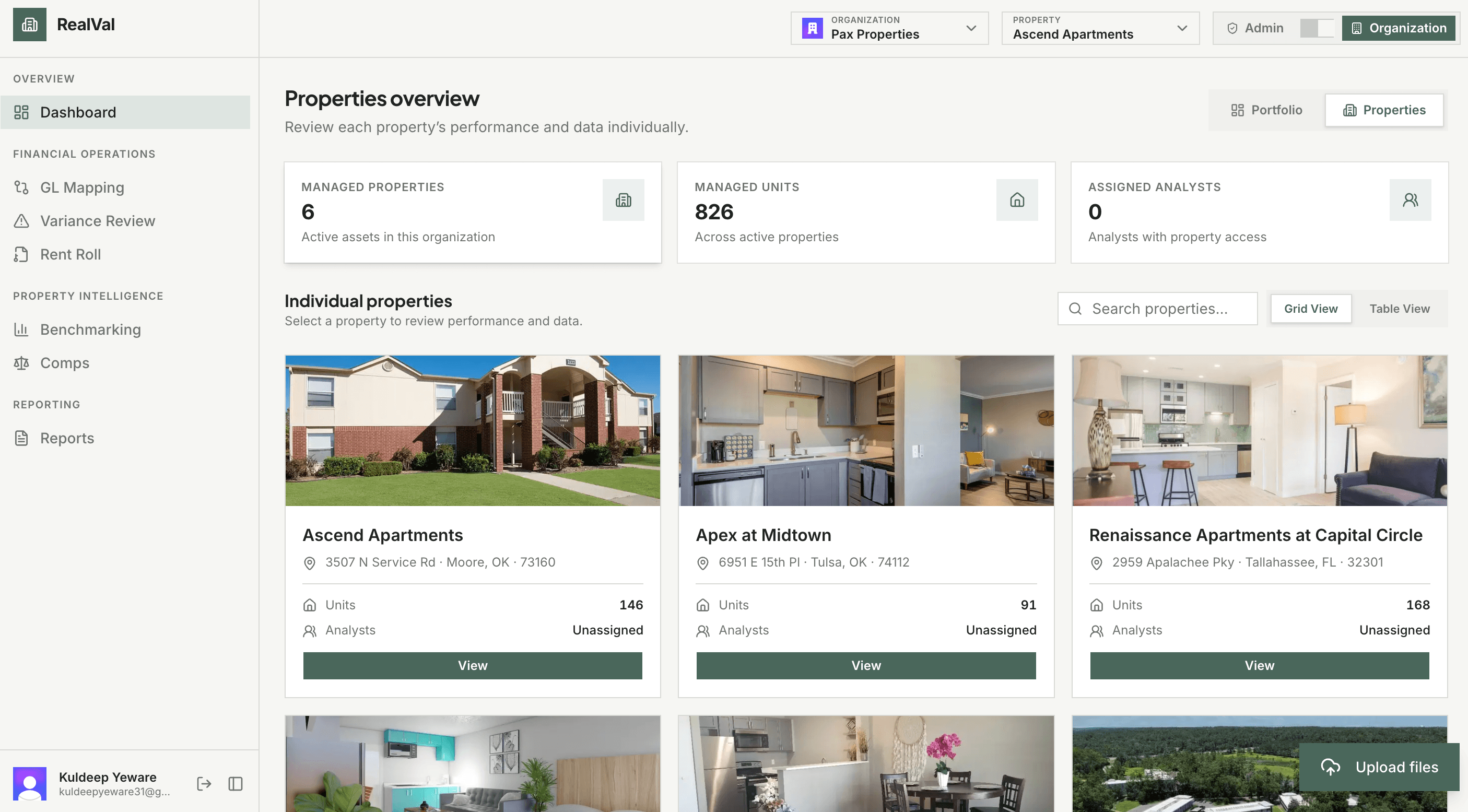
RealVal dashboard showing portfolio metrics and individual properties

One portfolio.
Different systems.

Yardi at one property. ResMan at another. Before you can compare performance, you’re matching categories and reworking spreadsheets.

Your property data.
One clear view.

Bring scattered reports into a shared workspace for financial analysis, portfolio comparisons, and investor reporting.

Make reports comparable

Map financial line items to shared categories, so different report formats don’t get in the way of comparing properties.

Ask AI about your property

Ask about expenses, vacancy, and lease expirations using your uploaded data. Review the answers with your team.

Spot budget variances

See where income or expenses differ from plan, then explore the categories behind the gap.

Compare properties

Compare financial and leasing performance across assets to see which properties need a closer look.

Keep forecasts current

Bring actual results into your pro forma and review AI suggestions as your assumptions change.

Keep investors informed

Bring financials, charts, and your commentary together in PDF reports that explain property performance.

From reports to decisions.

Three steps to make your monthly reporting more useful.

01

Upload your reports

Start with the Excel exports you already use. Add them to the right property’s workspace.

02

Review the numbers

Check extracted data, confirm financial categories, and approve supported uploads for your team.

03

Put insights to work

Investigate variances, update forecasts, and turn your findings into reports you can share.

See RealVal in action.

Explore the tools your team can use to review performance and share the story behind the numbers.

RealVal dashboard showing portfolio metrics and individual properties

Start with the big picture.

Review portfolio metrics, then open any property to see its financial and leasing details.

Questions,
answered.

What to know about access, uploads, and working with your data.

Access is by invitation. Ask your organization’s admin to invite you, then use the link in your email to create your account. Already a member? Sign in to your workspace.

Less spreadsheet work.
More time for decisions.

Already part of a RealVal team? Your workspace is ready. New here? Ask your organization’s admin for an invitation.